After ten years of hosting, I can tell you the moment I installed an Airbnb Smart Lock and stopped worrying about keys was the moment hosting got a whole lot easier. No more meeting guests at the door, no more hiding a key under the mat and hoping for the best, and no more paying to rekey the locks when a key didn’t come back.
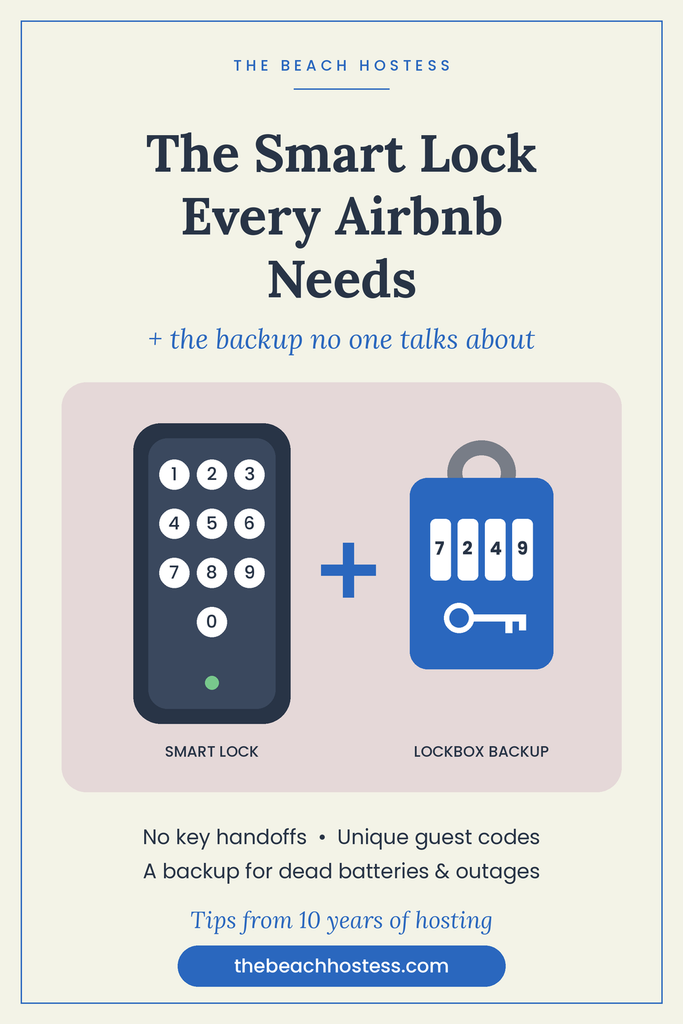
A smart lock was one of the best upgrades I ever made to my rental. But here’s the part nobody tells you: a smart lock alone isn’t enough. You need a backup plan, and mine is a simple key lockbox. Let me walk you through both.
Why I Switched to a Keyless Entry Lock
No more key handoffs. Guests arrive when they arrive. Late flight, early check-in, traffic on the way to the beach. With a keypad, they just walk up and punch in their code.
Every guest gets their own code. I set a unique code for each stay, and it only works during their booking dates. When they check out, the code stops working. That feels so much safer than wondering how many copies of a key are floating around.
I can unlock the door from anywhere. If a guest is locked out or a repair person needs in, I open it from my phone. Sometimes people don’t follow the instructions even though all the information is right there on what keys to hit on the keypad. I have had people make too many tries and get themselves locked out. It is nice to be able to open it from my phone but also know that I have the backup key in the code lock box as well.
Cleaners and maintenance get their own codes too. I can see who came and went and when, which gives me real peace of mind between turnovers.
No more rekeying. Lost keys used to cost me money and a service call. Now I just delete a code.
👉 Smart Lock Option 1
👉 Smart Lock Option 2
What to Look for in an Airbnb Smart Lock
- A physical keypad, not app-only. Your guests shouldn’t have to download anything to get in the door.
- Remote access over Wi-Fi. Bluetooth-only locks mean you have to be standing nearby to make changes.
- Low-battery alerts. You want to know before the batteries die, not after.
- A physical key override. This matters more than you think (more on that below).
- Weather resistance. If you host near the water like I do, salt air is hard on hardware. Look for a good finish and a weather rating.
- Compatibility with your booking tools. Some locks can send guest codes automatically through your property management software.
Why I Always Keep a Key in a Lockbox
Here’s the truth about technology: it works perfectly until it doesn’t. Batteries die. Wi-Fi goes out. Power goes out in a storm. A guest’s phone dies with the check-in info on it.
That’s why I keep a physical key in a combination lockbox at my rental. If the smart lock ever fails, nobody is stuck on the porch with their luggage waiting for me to drive over.
My lockbox rules:
- Mount it somewhere discreet but easy to reach. Not right next to the front door where it screams “key in here.”
- Don’t put the lockbox code in your listing or your standard check-in message. I only share it when a guest actually needs it.
- Change the combination regularly, especially after you’ve given it out.
- Check that the key actually works every so often. A backup key that doesn’t turn the lock is no backup at all.
My Smart Lock Maintenance Routine
- Swap batteries on a schedule, not when the alert pops up. I do it every 6 months.
- Test the keypad at every turnover. My cleaners punch in their code and confirm it locks behind them.
- Keep spare batteries at the property in a spot you (not guests) can reach.
- Know your lock’s emergency option. Many keypads have a spot to hold a 9-volt battery against the keypad to power it up long enough to enter a code. Look this up for your model before you ever need it.
Quick FAQ
Are smart locks safe for Airbnb?
Yes. In my experience they’re safer than keys, because every guest gets a unique code that expires when they check out.
What happens if the smart lock battery dies?
Most locks warn you well ahead of time. That’s also exactly why I keep a physical key in a lockbox as my backup.
Do guests find smart locks confusing?
Rarely. I include simple instructions in my check-in message, and a keypad is about as easy as it gets.
The Bottom Line
A smart lock makes check-in smoother for your guests and a lot less stressful for you. Pair it with a lockbox backup and you’ve covered yourself for the day technology lets you down, because at some point, it will.
If you’re setting up your rental, grab my Vacation Rental Essentials List for everything else I recommend having in place before your first guest arrives.
As an Amazon Associate I earn from qualifying purchases.